
Introduction: Why Your Shopify Store Needs an Email List From Day One
Every new Shopify store faces the same challenge: how do you turn anonymous visitors into loyal customers when you have zero contacts, zero brand recognition, and a limited budget? The answer, in 2024 and beyond, is building an owned email list before you pour money into paid ads.
Email marketing remains the strongest ROI channel for e-commerce merchants. Multiple sources confirm that email generates between $36 and $42 for every $1 spent, outperforming typical returns from Google Ads, social media channels, and influencer partnerships. The difference between an owned email list and rented attention on platforms like Instagram, TikTok, or Google is increasingly stark. Algorithm changes, rising CPMs, and account suspensions make platform dependencies volatile. Your subscriber list is the one asset no algorithm update can erase.
This guide shows you, step by step, how to collect customer emails from zero and turn them into revenue-driving email campaigns. Whether you run a DTC fashion brand or a wholesale supplier, these strategies apply.
Here is what you will learn:
- How to set up sign-up forms at checkout, on your homepage, in pop-ups, and on dedicated landing pages
- How to craft a compelling offer that makes people actually want to subscribe
- Why double opt-in protects your list quality and keeps you compliant with GDPR and CCPA
- How to launch Shopify email automation flows like welcome series and abandoned cart recovery
- How to maintain data hygiene through verification, cleaning, and enrichment
For merchants who eventually want to expand into B2B, wholesale, or corporate outreach, Prospect Wallet serves as a data partner offering verified, GDPR-compliant contact data, database cleaning, and firmographic enrichment.
Chapter 1: Getting Started With Email List Building on Shopify
If you are building a brand from scratch, an organic, homegrown email list is essential. It delivers stable revenue, better conversion rates than cold traffic, and a direct line to your customers that no platform can shut off.
This guide focuses entirely on legal, opt-in-based list growth. Buying lists violates the spirit of GDPR, CCPA, and Shopify’s own terms of service. Before we get tactical, here are the key concepts:
- Email list: a database of customer emails collected via your online store, landing pages, and offline events with explicit consent
- Email subscriber: a contact who has permitted to receive marketing emails from your brand
- Email marketing program: the system of tools, workflows, content, and sending frequency you use to engage new subscribers
- Email automation: triggered emails – welcome series, abandoned cart, post-purchase follow-ups – sent without manual effort based on behavior or data
What Is a Shopify Email List (and How You Actually Use It)?
A Shopify email list is the group of customers and visitors who have consented to receive email marketing, stored in Shopify Customers and synced to your ESP (such as Shopify Email, Klaviyo, or Omnisend). Each contact typically includes an email address, first name, location, purchase history, opt-in timestamp, and consent source.
That store data powers every core email marketing activity:
- Welcome series: onboard new subscribers and deliver your promised offer
- Product launches: announce new drops to your most engaged subscribers
- Abandoned cart flows: automated email flows can recover abandoned carts effectively, bringing back nearly-lost revenue
- Reorder reminders: drive repeat purchases for consumable products
- Educational content: build relationships through value, not just promotions
- B2B outreach: for wholesale use cases, your Shopify email list can be combined with prospectwallet firmographics and technographics to run targeted account-based email campaigns
Why You Should Never Buy an Email List for Your Shopify Store
Buying or renting email lists is a direct risk to deliverability, Shopify compliance, and your legal obligations. A purchased list – say “10,000 fashion buyers” from a broker and a rented list, like a blast through a third-party publisher’s newsletter, both carry serious problems.
The issues are concrete:
- High bounce rates and email bounces that damage your sender reputation
- Spam complaints from people who never asked to hear from you
- Possible account suspensions from ESPs and even payment processors
- Violation of consent requirements under GDPR (EU), CAN-SPAM (US), and CASL (Canada), where proof of opt-in matters
Building from scratch is slower, but it is the only sustainable path. If you need compliant B2B contact data later, Prospect Wallet focuses on verified B2B lists – not generic consumer list selling.
Step 1: Decide How You’ll Use Your Shopify Email List
Before you collect emails, define two or three primary goals. Your planned use determines what customer data you collect and what compelling offer you put on your forms.
Here are three example strategies:
- A fashion brand sending “new drop” alerts with early access for email subscribers
- A supplements store pairing educational content with reorder reminders and loyalty perks
- A B2B supplier sending monthly price list updates and case studies to wholesale leads
Goal-setting checklist: Identify your target audience (who are you reaching?); set a sending frequency (weekly or biweekly); choose your content type (promotional emails, educational, or product-first); and define success metrics. A reasonable starting target is a 3–5% opt-in rate on forms, 20–30% open rates, and a 2–5% click-through rate.
Clear goals make segmentation easier later and help you map enrichment outputs – like Prospect Wallet’s firmographic appending – into the right strategy for business accounts.
Step 2: Choose the Right Email Platform and Connect It to Shopify
An email service provider is essential for Shopify email marketing beyond basic campaigns. Shopify Email works for small lists and simple sends, but as volume grows, more advanced tools like Klaviyo or Omnisend unlock deeper, advanced automation and segmentation.
Key features to evaluate:
- Seamless Shopify integration for syncing customer data
- Automation flows (welcome, cart abandonment, post-purchase)
- Segmentation by browsing behavior and purchase history
- Support for double opt-in
- Basic list cleaning tools for removing bounces and inactive contacts
As stores scale into B2B, APIs matter. You will want to sync enriched contact data from partners like Prospect Wallet into CRMs like HubSpot or Salesforce.
Getting started: Install the ESP app from the Shopify App Store, grant permissions, sync your customer list, map custom fields, and send a quick test email to a small segment. Confirm rendering, deliverability, and that unsubscribe links work before launching to your full list.
Step 3: Set Up High-Converting Email Capture Points Across Your Store
To collect email addresses at scale, Shopify merchants must place sign-up opportunities at multiple high-intent touchpoints. Embedding sign-up forms in high-traffic areas can increase subscriptions significantly. A single footer form is not enough.
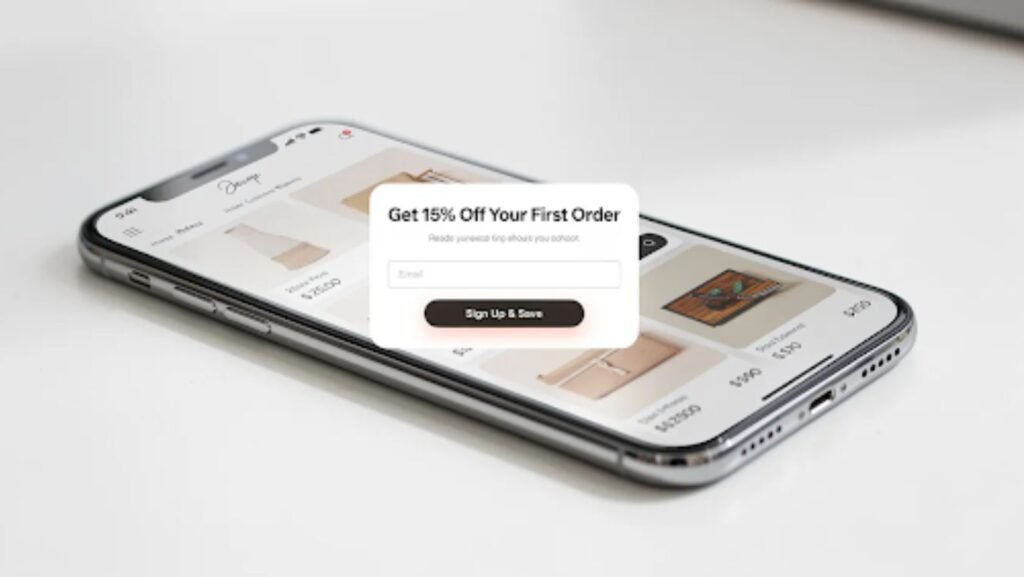
The four main capture locations are checkout, homepage and footer, popups and slide-ins, and dedicated landing pages. Email sign-up forms should be easily accessible on websites, and each form should be quick (two to three fields max) and clearly state what subscribers receive.
Collect Customer Emails at Checkout and Account Sign-In
The checkout process is a high-intent moment to collect emails. Visitors who reach this page are already engaged with your brand. Enable the “Email me with news and offers” checkbox in Shopify settings for checkout and customer account pages. Collecting emails at checkout can boost your subscriber list with contacts who are already primed to buy.
In the EU, explicit opt-in is safer—leave the checkbox unchecked by default. In other regions, pre-checked boxes can be acceptable. A small incentive like future exclusive discounts or early access to new products can increase sign-ups without disrupting the purchase flow.
Shopify collects consent flags and stores them in the customer record with timestamps. Later, Prospect Wallet can help append missing business details like company name or department to these contacts for B2B follow-ups.
Use Homepage and Footer Forms to Collect Emails Passively
Add a newsletter block to your homepage using a standard Shopify theme section. This is essential for always-on email list growth. Use simple, trust-building copy like “Get weekly styling tips and members-only deals” rather than a generic “Subscribe to our newsletter.”
Keep required fields minimal – email plus an optional first name – to reduce friction while still allowing personalization in Shopify email campaigns later. Shopify forms embedded in footers and homepage sections work around the clock to bring in new leads without any manual effort on your part.
For contests or giveaways promoted on the homepage, use double opt-in to keep the list engaged and complaint rates low.
Test Pop-Ups, Slide-Ins, and Gamified Forms
Using pop-up forms can effectively capture email addresses, and the data backs this up. Average pop-ups convert at roughly 3–5%, but gamified formats like spin-to-win wheels can reach 8–15% opt-in rates. Exit-intent pop-ups can effectively capture visitor emails, especially on cart and checkout pages.
Create branded pop-ups using apps like Shopify Forms or your ESP’s native form builder. Test different triggers:
- Time delay (20–45 seconds): avoids annoying visitors who just arrived
- Exit intent: catches potential customers about to leave
- Scroll depth (40–60%): targets readers who are actually engaged
Avoid firing popups within the first five seconds – this hurts conversion and causes bounce spikes. Keep close buttons easy to find, ensure mobile responsiveness, and limit required fields.
Offers to test in popups include a discount code for first-time visitors, a free downloadable guide as a lead magnet, or an early access list for an upcoming product drop.
Create a Dedicated Landing Page for Your Email List
Every Shopify brand should have at least one landing page whose only goal is email capture – no navigation clutter, one clear CTA. Build it in Shopify with a hero section, benefit bullets, a testimonial for social proof, and a signup form.
A strong offer like “Get 15% off your first order and a 7-day styling guide” will improve conversion rates significantly. This landing page is ideal for linking in Instagram bios, TikTok profiles, YouTube descriptions, and QR codes at in-person events. It is one of a few ways to drive traffic from other platforms directly into your owned email list.
The same structure works for B2B: offer a downloadable catalog or wholesale pricing sheet in exchange for a work email and company name.
Step 4: Create a Compelling Offer That Makes People Want to Subscribe
Most visitors will not hand over their email address without a clear benefit. Building an email list requires offering a compelling incentive. The highest-converting incentives include first-time discounts, but they are not the only option.
Practical incentive types:
- Percentage discounts: “10% off your first order” (the classic, and still effective)
- Free shipping: works well for stores with higher shipping costs
- Early access: first access to new drops or restocks
- Exclusive content: styling guides, checklists, or educational resources
- Loyalty points: reward sign-ups with points toward future purchases
Offering exclusive content can encourage email sign-ups from people who are genuinely interested in your brand, not just hunting a one-time deal. Offering discounts can incentivize email sign-ups effectively, but align the offer with your margins. Higher-ticket brands can prefer content or early access over constant discounting.
An A/B test is offered over a defined timeframe – say four to eight weeks – and track both email sign-ups and the conversion rate from subscriber to first purchase inside Shopify and your ESP.
Step 5: Implement Double Opt-In and Consent Best Practices
Single opt-in adds a subscriber the moment they submit the form. Double opt-in adds an extra step: the subscriber receives a confirmation email and must click a confirmation link before being added to the main marketing list.
Here is what a double opt-in flow looks like in practice:
- Visitor fills out your form
- System sends a confirmation email
- The subscriber clicks the confirm button
- Contact is added to your marketing list with a verified, timestamped consent record
Double opt-in can increase subscriber engagement rates and improve list quality because it filters out typos, fake addresses, and bots. Double opt-in can lead to more engaged subscribers who actually want to hear from you. It also provides easier proof of consent for GDPR and CCPA compliance.
Enable double opt-in within Shopify or your chosen ESP. Avoid putting promotional content inside the confirmation email – keep it focused on confirming the signup. For B2B lists, double opt-in is especially important when collecting business emails via downloadable resources or webinar registrations, as outlined in this guide to email lead generation.
Step 6: Launch an Automated Welcome Email (or Welcome Series)
The welcome email should be the first thing a new subscriber receives. Welcome emails have some of the highest open rates of any email campaign – often 50% or more when timed correctly. Automated welcome sequences can enhance email engagement from the very first touchpoint. Email automation saves time by sending emails based on customer actions rather than requiring you to manually send each message.
A basic welcome series of one to three emails:
- Email 1: Deliver the incentive (discount code, guide download) with subject lines like “Welcome to [Brand]—here’s your 10% off.”
- Email 2: Share your brand story and best-sellers, with a subject line like “Your size guide + our most-loved pieces”
- Email 3: Add social proof, how-to content, or urgency if the incentive has an expiry
Include a clear primary CTA in each email (shop now, read a guide, complete your profile) and track conversion rates from the welcome series separately. Email automation can increase revenue by 20–25% when these flows are set up properly.
This is also the first place to use segmentation: slightly different welcome content for new customers who already purchased vs. subscribers who have not yet bought.
Step 7: Promote Your Email List Beyond Your Shopify Store
To grow quickly from scratch, promote your list on every channel you already use: social media channels, in-person events, packaging inserts, and paid ads.
Practical examples:
- Add your landing page link to your Instagram and TikTok bios
- Use QR codes on thank-you cards and packaging inserts to drive traffic to your email capture page
- Run a referral program where existing subscribers can invite friends for bonus rewards, turning loyal customers into brand ambassadors
- Create weekly story posts reminding followers of list-only perks, plus a pinned post with a direct signup link
Running small pay-per-click campaigns on Meta or Google that send traffic to your dedicated email capture landing page is often more efficient than sending ad traffic to your homepage. You capture potential customers in your owned channel even before they buy.
For B2B brands, LinkedIn posts and sponsored content can drive targeted prospects to a lead magnet landing page that feeds into the same Shopify and ESP pipeline.
Step 8: Send Consistent, Valuable Email Campaigns That Keep Subscribers Engaged
There is a difference between automated flows (welcome, abandoned cart, post-purchase) and one-off email campaigns (product launches, seasonal sales, educational newsletters). Both matter. Targeted email campaigns can increase engagement by 20–25% compared to generic blasts.
Commit to a consistent sending schedule. One campaign per week or every two weeks is a sustainable starting point. Here are campaign types tailored to Shopify:
- New arrivals: showcase what just dropped
- Back-in-stock updates: alert interested subscribers
- How-to guides: add images and educational value
- Lookbooks: inspire with styled product photography
- Subscriber-only flash sales: reward engaged subscribers with exclusive deals
Over time, send different customized campaigns to high-value customers, new subscribers, and inactive subscribers rather than blasting the entire email list. Send emails that are relevant to each group.
Email Content and Design Basics for Shopify Stores
Write subject lines that set clear expectations. Keep preview text concise. Match body copy to your brand tone. Use simple layouts with responsive, image-light designs for faster loading on mobile—roughly 60–70% of subscribers will open on phones.
Include product blocks pulled from Shopify (best-sellers, personalized emails with recommendations) and short copy that highlights benefits rather than just features. A single primary CTA per email avoids confusion and protects conversion rates.
As lists grow, test content types per segment. B2B contacts might prefer case studies and ROI examples over lifestyle imagery. You can boost engagement and boost conversions by tailoring the format, not just the offer, to each audience.
Step 9: Segment Your Shopify Email List for Smarter Targeting
Every email service provider should segment audiences for targeted marketing. The data is compelling: email segmentation increases engagement by 14% on average, segmenting email lists can improve open rates by 39%, and targeted emails can generate 6 times higher transaction rates. Businesses using segmentation see a 760% increase in revenue.
Segmentation allows for personalized content based on customer behavior. Segment your email list to enhance targeting and relevance.
Core segments to build early:
- First-time buyers: nurture toward a second purchase
- Repeat customers: reward loyalty, offer VIP early access
- High spenders: personalized emails with premium recommendations
- Recent visitors with no purchase: browse abandonment flows
- Cold subscribers: re-engagement or sunset campaigns
You can create segments based on purchase history, cart activity, browsing behavior, location, and engagement level inside Shopify or a connected ESP. Map those segments to specific Shopify email campaigns for maximum impact.
Prospect Wallet can enrich these segments with B2B attributes like industry, company size, and job title for brands that sell to both consumers and businesses.
Understanding Your Audience With Behavior-Based Segmentation
Behavior-based emails are triggered by real-time customer signals, making them among the most relevant emails a subscriber can receive. Focus on these behavioral triggers:
- Cart abandonment: subscriber added items but did not complete checkout
- Browse abandonment: viewed a product category multiple times without purchasing
- Content downloads: downloaded a guide or catalog (especially relevant for B2B)
Specific segmentation ideas: “Viewed but never purchased shoes in the last 7 days,” “Bought in the last 30 days,” and “Subscribed but never opened in 90 days.” Automated email flows improve customer engagement and retention by responding to actions rather than guessing.
Segmentation works differently for B2B vs. B2C. For B2C, you might segment by product category interest. For B2B, you might segment retailers vs. corporate gift buyers – using enriched data from a B2B data partner to identify company type and buyer role.
Segmentation can improve email open rates significantly when applied consistently across both automated flows and one-off campaigns.
Step 10: Track Key Metrics and Continuously Optimize
Core metrics for Shopify email list growth and performance:
| Metric | What It Tells You | Healthy Benchmark |
|---|---|---|
| List size & growth rate | Channel effectiveness | Steady month-over-month growth |
| Sign-up rate per form | Form and offer performance | 3–7% of sessions |
| Open rate | Subject line & sender trust | 20–30% |
| Click-through rate | Content relevance | 2–5% |
| Conversion rate | Revenue attribution | Varies by price point |
| Unsubscribe rate | Content-audience fit | Under 0.5% per send |
| Spam complaints | Sender reputation risk | Under 0.1% |
Check metrics monthly. Run A/B tests on subject lines, send times, form copy, and incentives – change one variable at a time for clear insight.
Example: a store improved their landing page opt-in rate from 3% to 7% by simplifying the form from three fields to one, clarifying what subscribers receive, and changing the CTA from “Subscribe” to “Get your 10% off code.”
For B2B list segments, track pipeline metrics like meetings booked or quotes requested through CRM integrations, not just opens and clicks.
Maintain List Hygiene: Verify, Clean, and Protect Your Shopify Email List
List hygiene directly impacts inbox placement, bounce rates, sender reputation, and the accuracy of your performance data. Regularly clean your email list to maintain engagement.
- Validate at capture: use email validation tools to ensure accurate addresses at the point of signup
- Quarterly cleaning: remove email addresses that consistently bounce back and prune non-openers inactive for 90–180 days
- Remove role-based emails: addresses like info@, sales@, and support@ harm engagement and increase complaint risk, as recommended by Adobe’s deliverability best practice guide
- Re-engagement campaigns: send “We miss you” messaging to inactive subscribers; if they do not respond, sunset them
Prospect Wallet specializes in B2B data verification and database cleaning, along with appending additional fields. This becomes a valuable next step when Shopify messaging and email marketing become a primary revenue channel.
Compliance, Consent, and Deliverability Best Practices
GDPR compliance is crucial for email data collection in the EU, and similar requirements exist under CAN-SPAM in the US and CASL in Canada. The basics:
- Obtain explicit consent before sending promotional emails
- Provide a visible unsubscribe link in every email and honor unsubscribes immediately
- Maintain clear privacy policies and store consent logs with opt-in timestamps in case of audits
Authenticating a dedicated domain improves email deliverability. Set up SPF and DKIM records, maintain consistent sending patterns, avoid spammy language, and stay away from purchased lists.
Rather than working with generic “email list sellers,” collaborate with a data partner like Prospect Wallet that understands compliant B2B list building and enrichment.
Compliance and deliverability sound technical, but they are manageable with proper processes. Treat them as a foundation, not an afterthought.
When to Bring in a Data Partner Like Prospect Wallet
This section is for Shopify merchants who have an established DTC email list and are ready to expand into B2B, wholesale, or enterprise sales.
Prospect Wallet can help by sourcing targeted B2B email lists of decision-makers, verifying existing customer emails, appending firmographics like company size and industry, and integrating enriched data into CRMs and ESPs.
Example use cases:
- A Shopify cosmetics brand expanding into hotel and spa partnerships needs verified contact data for hospitality procurement managers
- A food brand targeting corporate gift buyers needs enriched small business contacts segmented by industry and revenue
The same high standards for consent, GDPR/CCPA compliance, and deliverability apply when working with any external data provider.
If your Shopify store is ready to scale beyond pure consumer sales, speak with Prospect Wallet about compliant B2B list building and data cleaning.
Conclusion: Turn Your New Shopify Email List Into a Long-Term Revenue Asset
The journey is clear: set goals, choose a platform, place forms at high-intent touchpoints, create a compelling offer, implement double opt-in, launch welcome flows, promote your list on every channel, and maintain data hygiene.
Your email list is an owned asset that grows in value over time when treated with respect and used to send relevant, valuable email campaigns. It is the one marketing channel where you control the relationship entirely.
Start with the first three steps within the next seven days: enable email capture at checkout, add a homepage form, and launch a basic welcome email. From there, layer in segmentation, automation, and consistent campaigns.
When you are ready to clean, enrich, and expand your email database for sophisticated B2B and account-based campaigns, Prospect Wallet is built to help. Revisit your metrics quarterly, optimize what is working, and keep building the asset that no algorithm change can take away.